macOS · Storage Analyzer & Cleaner
Unli Disk app icon

Unli Disk

A disk-space analyzer, developer junk reclaim engine, and photo library cleaner for the Mac. Draws a real map of your volume, finds what's genuinely safe to remove, and never inflates numbers to sell a scan. Native Swift and SwiftUI for Apple Silicon and Intel.

macOS Storage Photos Developer Tools 100% Local
macOS — Disk Map
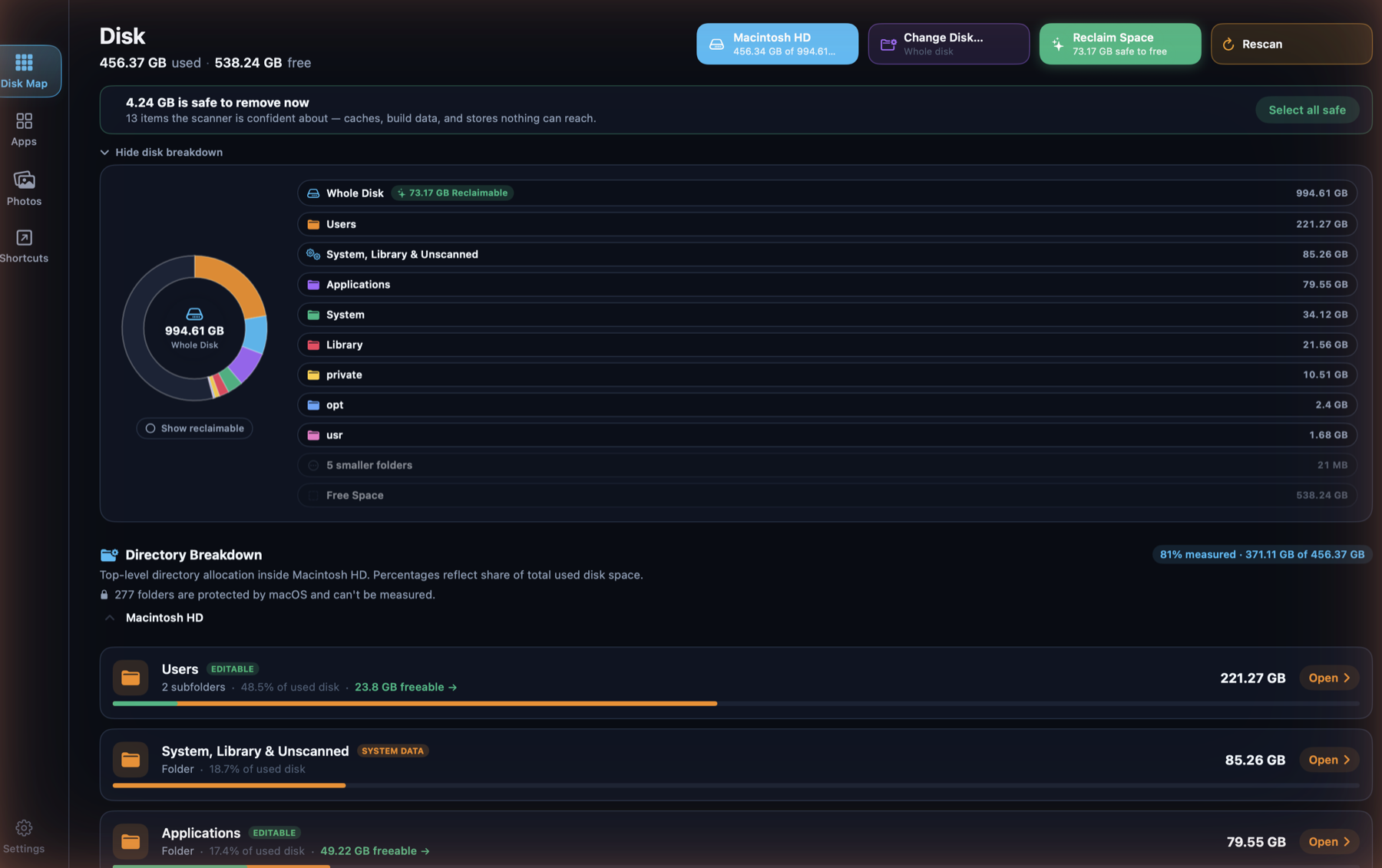
Unli Disk's Disk screen: a donut chart of the whole volume by top-level folder, a banner reading '4.24 GB is safe to remove now — 13 items the scanner is confident about', a Reclaim Space chip showing 73.17 GB safe to free, and a Directory Breakdown list with Users, System/Library and Applications rows each showing a freeable amount.

Disk Map + Reclaim, one screen

The donut is built from the real top-level folders on the volume, not generic categories — Users, System, Library, Applications, each its own wedge, with a "Show reclaimable" toggle that carves out what's safe to free without a second chart. Reclaim isn't a separate tab: the same scan surfaces a "safe to remove now" total and a one-click "Select all safe", and every folder row states what fraction of it is protected by macOS and can't be measured — honesty about the unknown, not a rounded-up number.
macOS — Applications
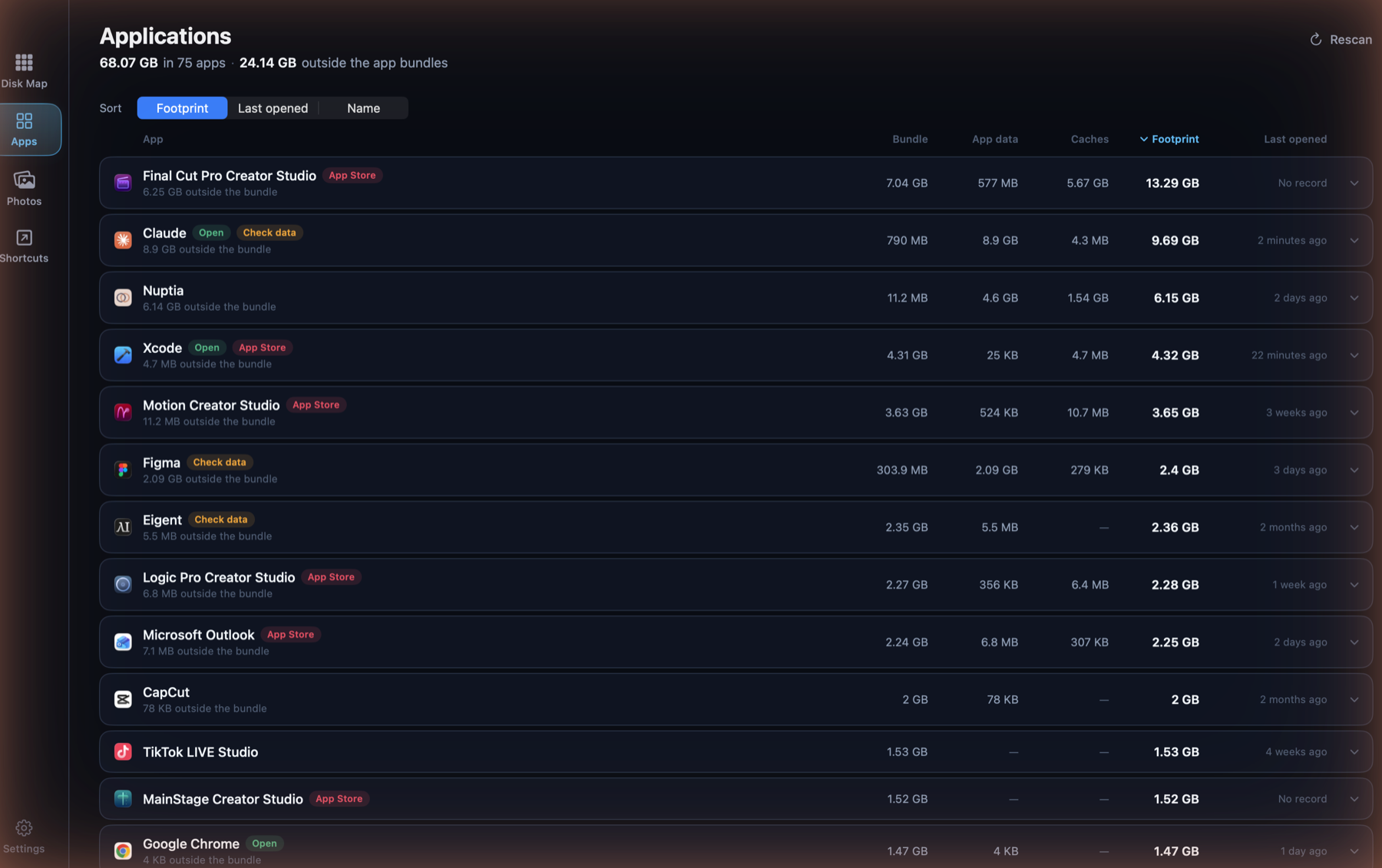
Unli Disk's Applications screen: 68.07 GB across 75 apps and 24.14 GB outside the app bundles, sortable by Footprint, Last opened or Name, listing each app's bundle, app data, caches and total footprint.

Applications: the whole footprint

An app is rarely just its bundle. Each row adds bundle, app data and caches into one footprint, and states how much of that lives outside the bundle entirely — the part that goes unnoticed. Sort by footprint to find the weight, or by last opened to find what's stopped earning its space.

macOS — Shortcuts
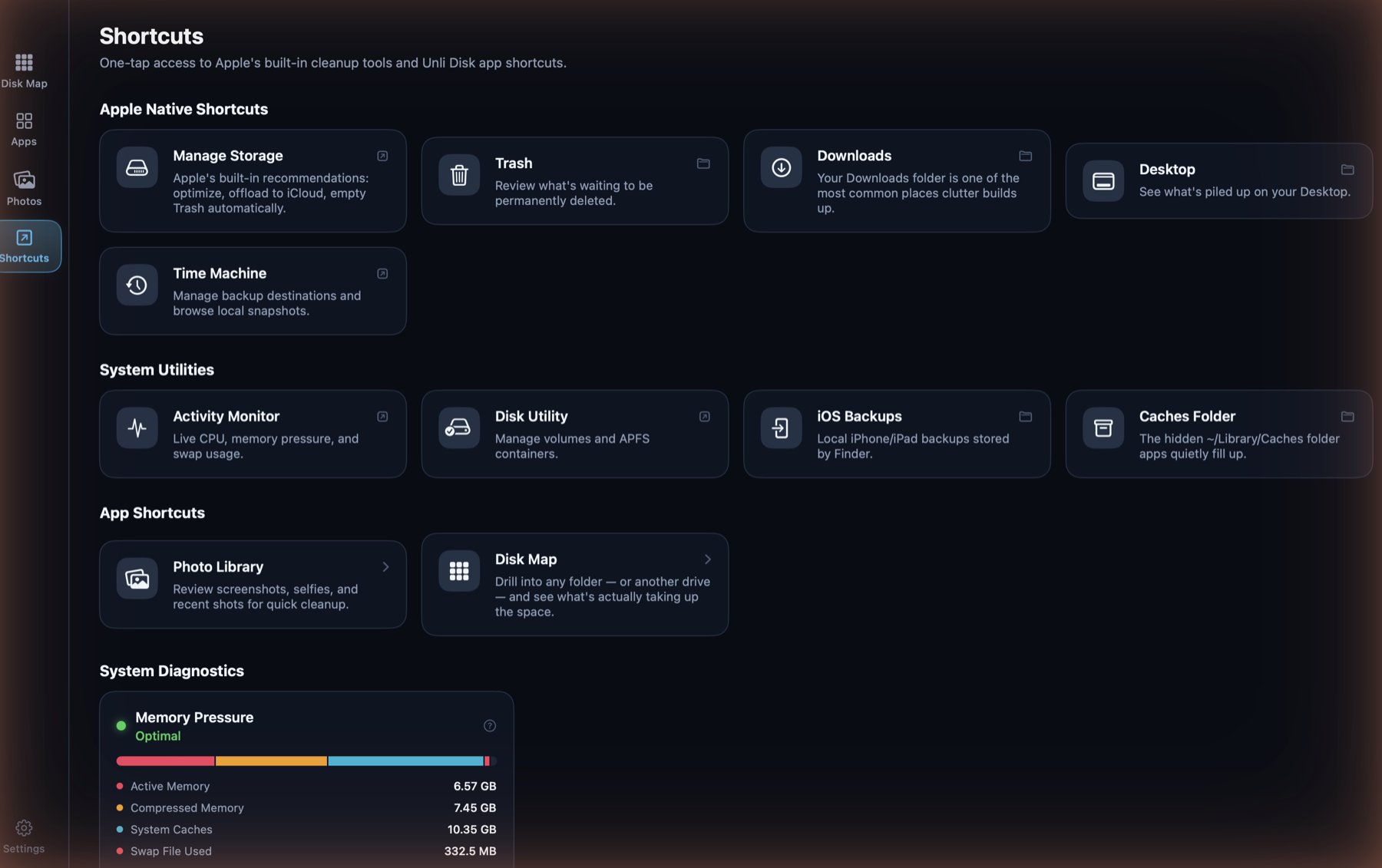
Unli Disk's Shortcuts screen: one-tap links to Apple's own Manage Storage, Trash, Downloads, Desktop, Time Machine, Activity Monitor and Disk Utility, plus in-app shortcuts to Photo Library and Disk Map, and a live Memory Pressure gauge.

Shortcuts: the tools that already exist

One tap to Apple's own cleanup surfaces — Manage Storage, Trash, Downloads, Desktop, Time Machine, Disk Utility, iOS Backups — sitting next to shortcuts into Unli Disk's own screens and a live Memory Pressure gauge (active, compressed, system caches, swap) read straight from the kernel, no shelling out required.

The photo library is shared, not duplicated

Unli Disk's Photos tab runs on the exact same engine as ClearSpace — biggest-first sorting, hearting, filters, timeline — packaged as Packages/UnliDiskPhotos and shared across both platforms rather than built twice.

Platform

Native macOS app in Swift and SwiftUI, sharing its photo engine with the iOS app via Swift Package Manager.

Sandbox migration

Moving to App Sandbox plus a user-granted disk permission (a security-scoped bookmark), replacing Full Disk Access — required for Mac App Store distribution.

Local privacy

100% on-device. No file paths, photo metadata, or scan results ever leave the Mac.

Reversible by default

Removal is always a move to the system Trash behind a confirmation — never a silent unlink.

Planned pricing

One-time purchase, no subscription — same non-negotiable as every calmdownoscar app.

← Back to Apps